Monday, 19 August 2013
Saturday, 17 August 2013
Sunday, 14 July 2013
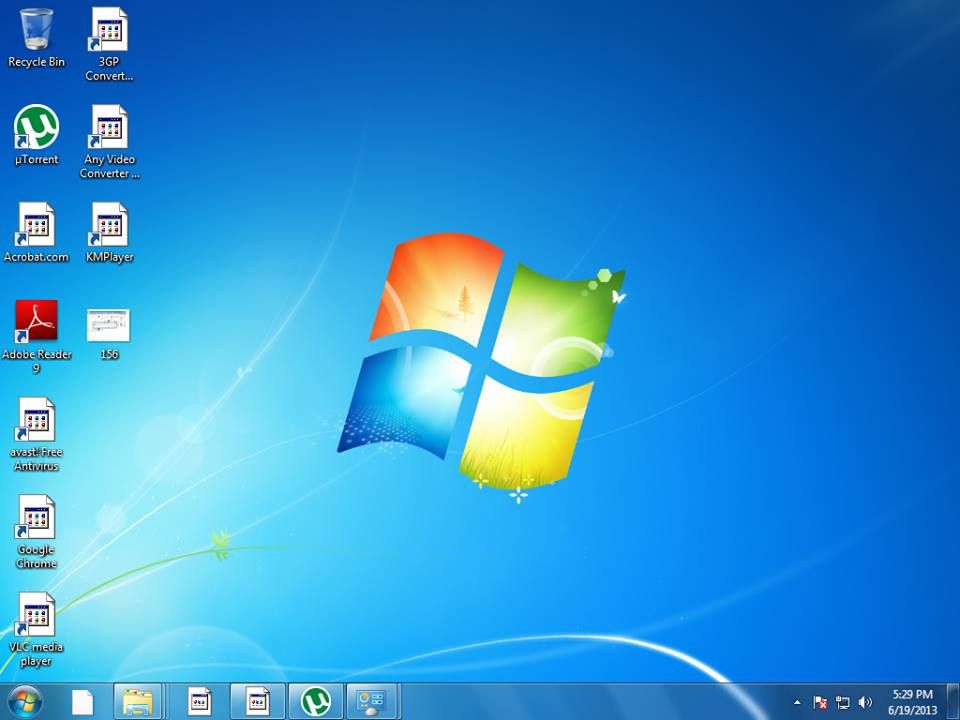
Windows corrupted icon solution
Windows Desktop Icon Images Corrupted in Windows 7
Then try this
Copy (Ctrl+C) & Paste (Ctrl+V) this code to Text, than SAVE AS - BAT file then execute it
taskkill /IM explorer.exe /F
CD /d %userprofile%\AppData\Local
DEL IconCache.db /a
shutdown /r /f /t 00
Or
Download above code in .bat format below
Visit hemanth rocxxx b's websites
http://hemanth22hemu.wix.com/hemanthrocxxx
http://hemanth22hemu.wix.com/games
Tuesday, 29 January 2013
Bootable pendrive conversion tool
How to create Bootable pendrive for windows 8 OS
Note:To download any software from this blog you need to disable redirect remover plugin's from your browsers
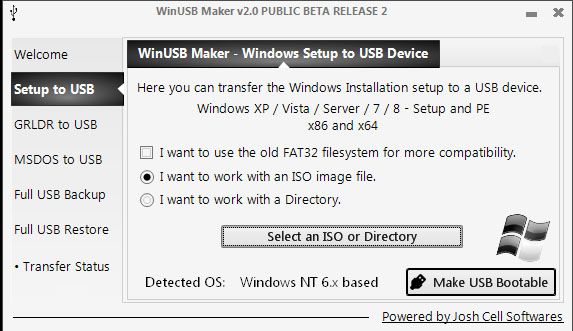
Download WinUSB Maker v2.0 BETA 2
After Downloading WinUSB Maker v2.0
Insert pen drive and Format it
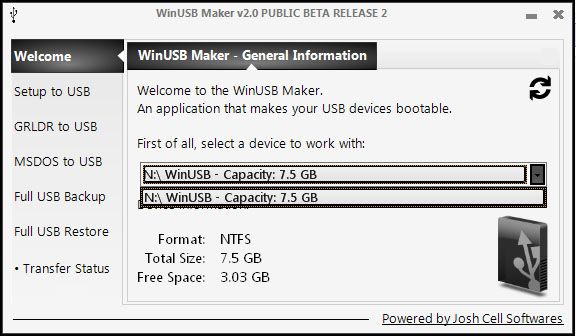
Open the download software
Select Pendrive you want to install
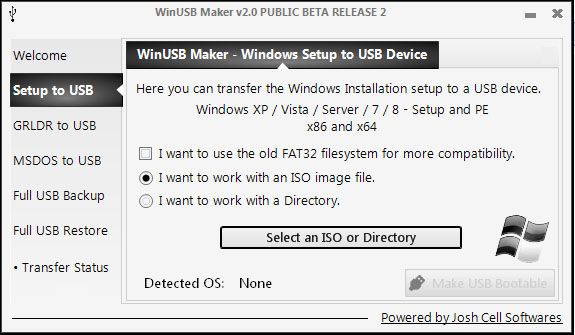
Select Setup to USB Option
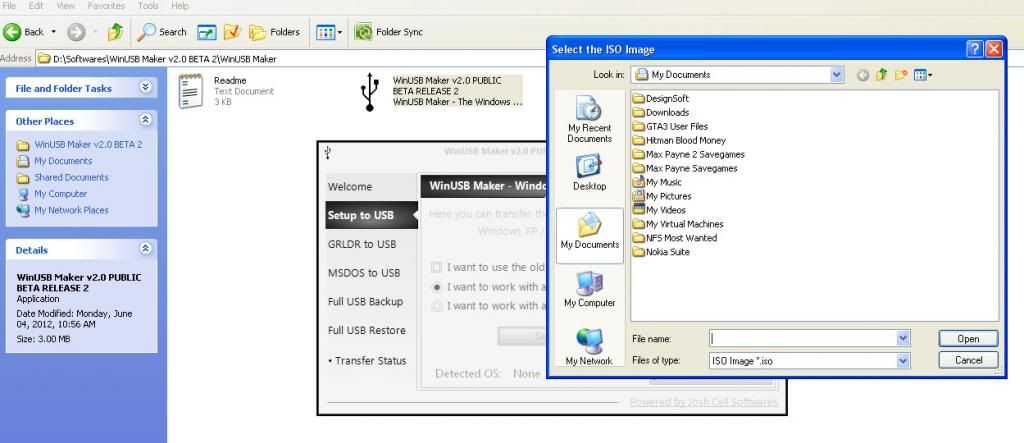
Select the Option "Select an ISO or Directory"
and search select the iso of windows 8
and Select the Option "Make USB Bootable"
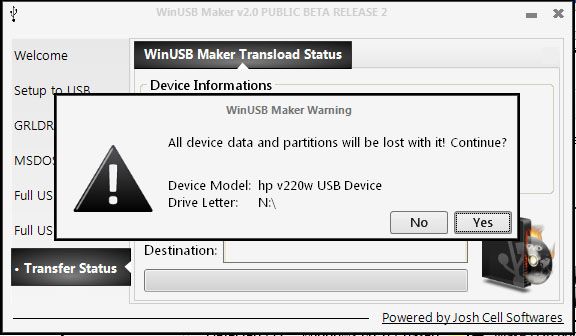
and select "Yes" in message box
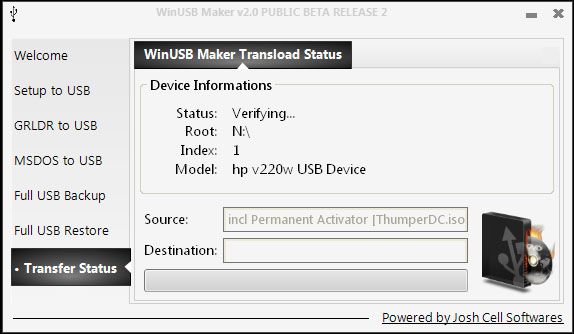
After that it copy the file in pendrive and makes bootable pendrive for
windows 8
Password for this file:win8
Please Visit Our Website
www.hemanth22hemu.wix.com/hemanthrocxxx
Tuesday, 15 January 2013
Tina pro application
How to Install and apply the Crack for Tina Pro 7
Download the Tina Pro 7 from www.hemanth22hemu.wix.com
Extract the compressed Tina Pro to Folder
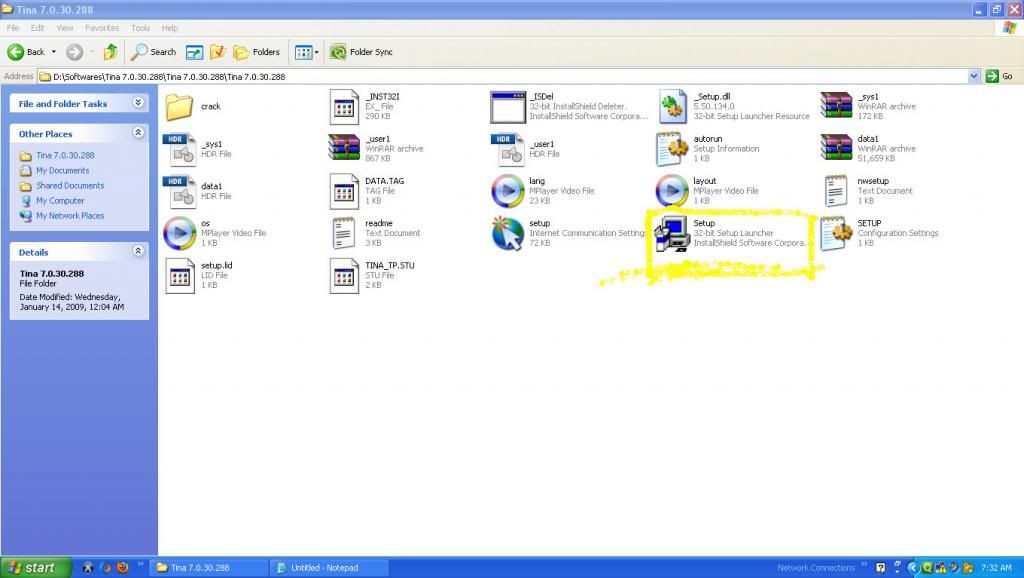
Install the setup
select next and at final finish
After finishing the Installation Process
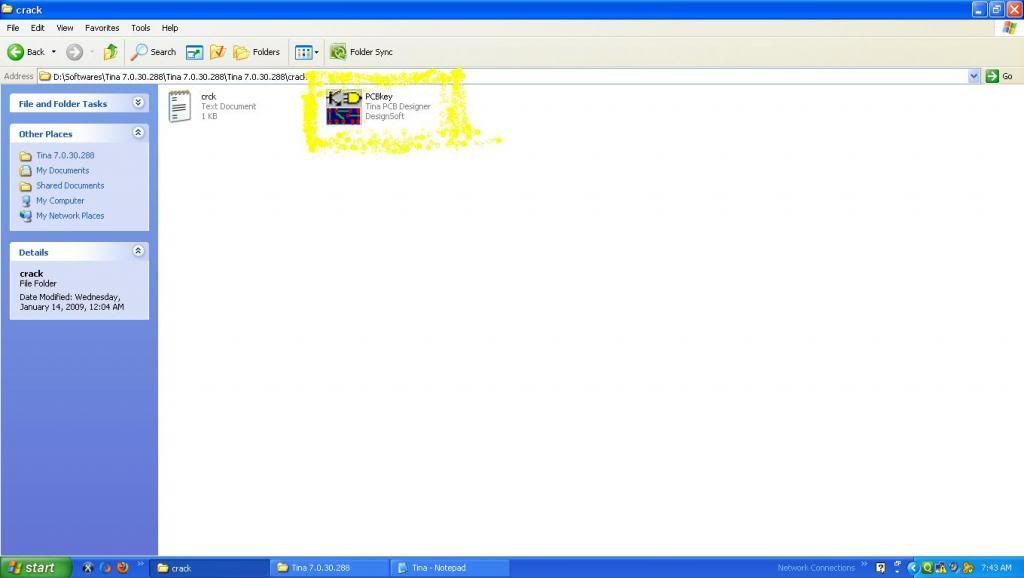
go to "Crack" named folder copy the PCBKey
Go to Run
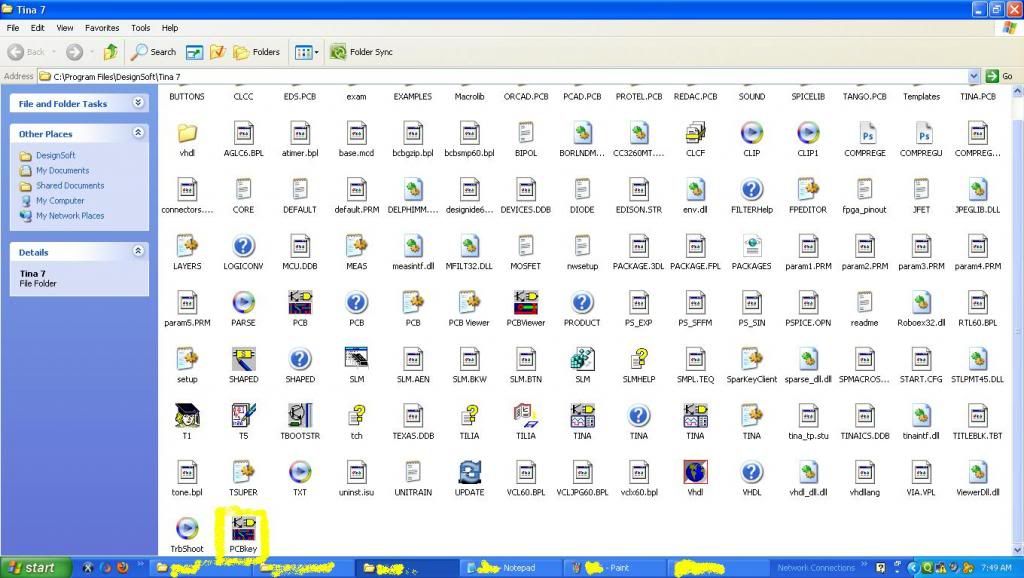
Type this address "C:\Program Files\DesignSoft\Tina 7"
open this address
paste PCBKey in tina pro folder
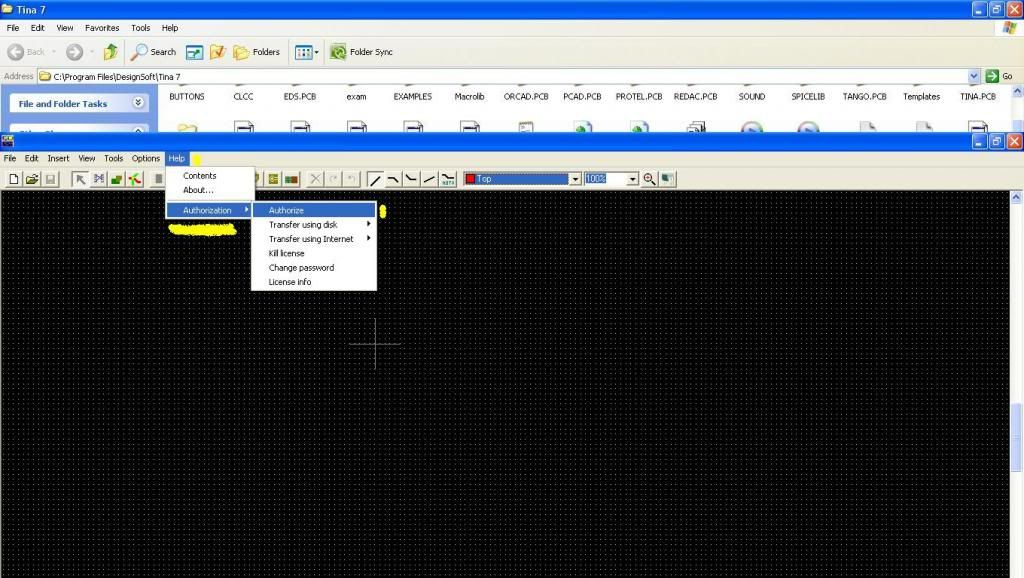
open the PCBKey from tina pro
and go to "help"--->"Authorization"---->"Authorize"
You get Authorize window
in that go to "other" and fill any number as sitekey give below
"0000-0000-0000-0000-0000-0000-0000-0000-0000-0000-0000-0000-00"
and press ok
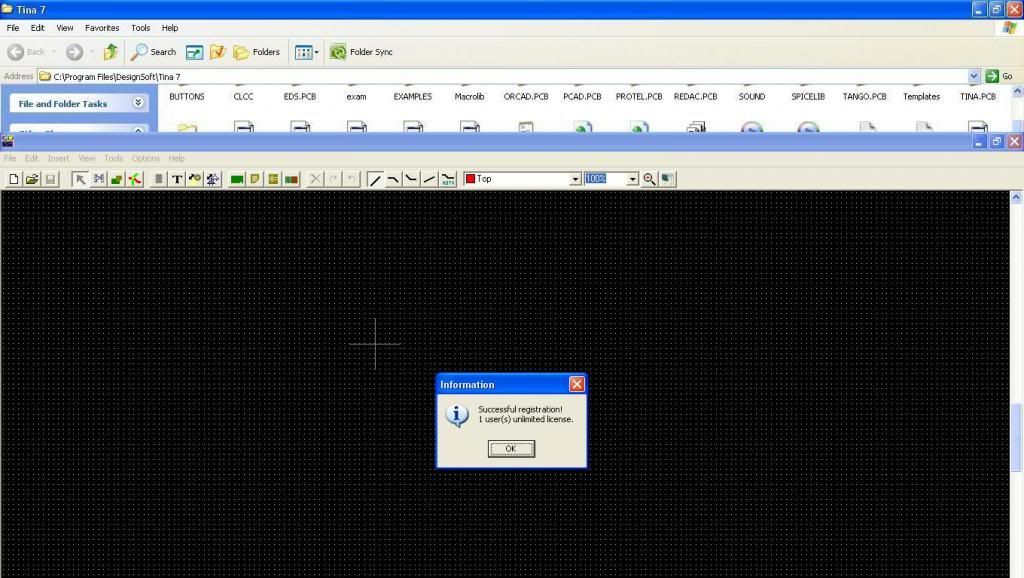
then u will get Information box as shown below
Now U r Tina Pro 7 is Licensed with Industrial License
Thank for seeing this blog please give comments about in comment box
Sunday, 13 January 2013
Friday, 21 December 2012
Command prompt hacks
How to lock folder using cacls code in command prompt
You can set permissions on the Files and Folders in Windows so that no one
else can open or access them.
Windows carries Access Control List command to apply the Access security on
the Files and Folders. To disallow all the users from opening a folder named
“locker” on the desktop, perform the following
Steps:
• Create a folder on Desktop with the name locker (You can give the name as you
wish).
• Open Command Prompt. Click Start-> Run-> cmd
• Go to Desktop by typing: cd Desktop
• Now type the command:
Cacls locker /E /P everyone:n
• Now the folder is locker and no one can access, modify or delete the particular
folder.
Subscribe to:
Posts (Atom)